Case Study · Custom Application
Replacing a fragmented procurement process with one portal
The problem
The client's procurement workflow was spread across multiple systems with no centralized view. Every purchase order touched at least seven steps and three different platforms before anything was actually ordered.
The process looked like this:
- 1Client approves a proposal in the quoting tool
- 2Team member runs a win opportunity wizard in the ERP
- 3Manager reviews and approves the purchase
- 4Someone creates a purchase order manually
- 5Items are ordered from the vendor
- 6Tracking numbers are saved somewhere
- 7Invoices are reconciled in accounting
Too many windows. No single place to see what status a PO was in, what was missing, or what was arriving that week. Things fell through the cracks constantly.
What we built
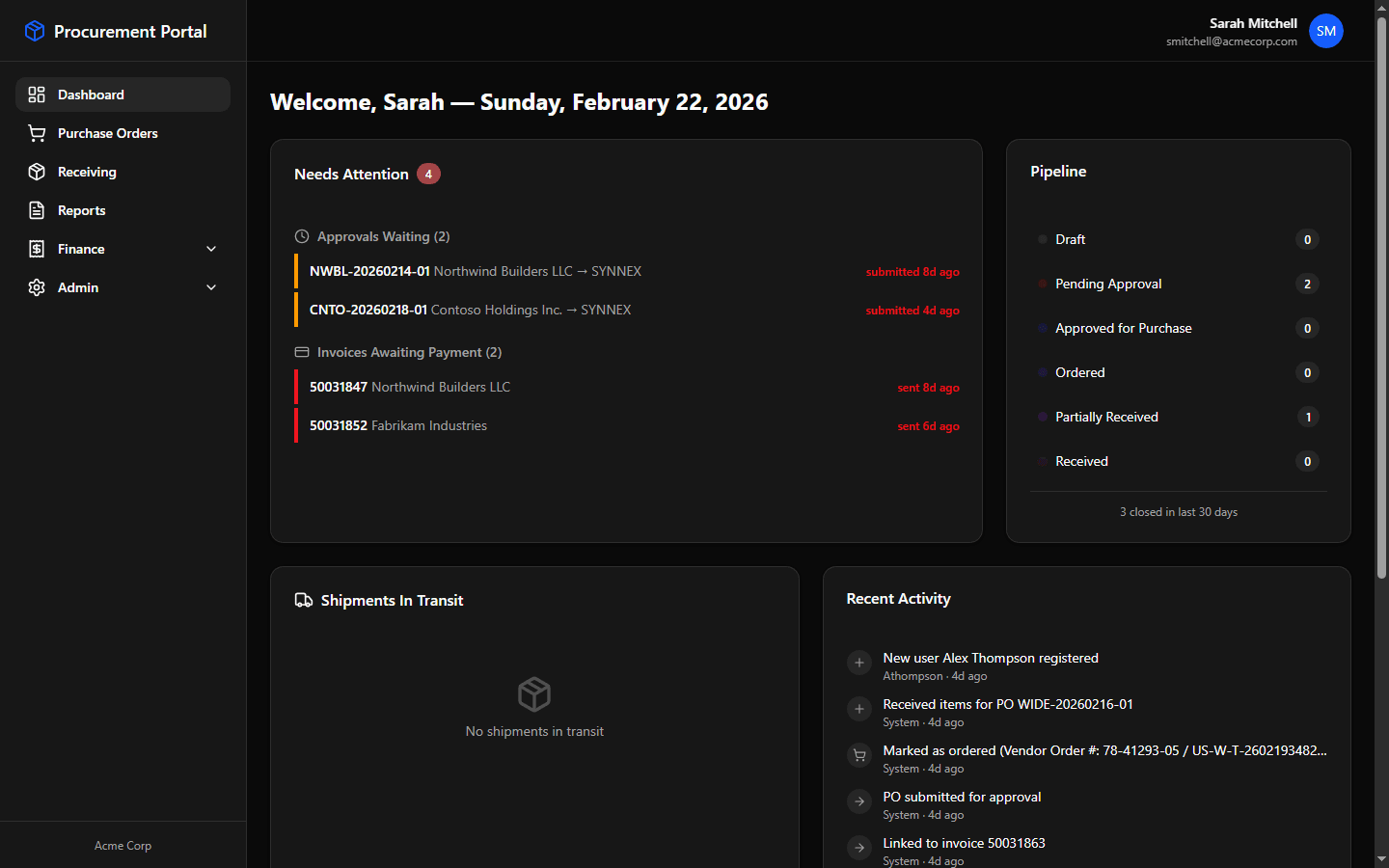
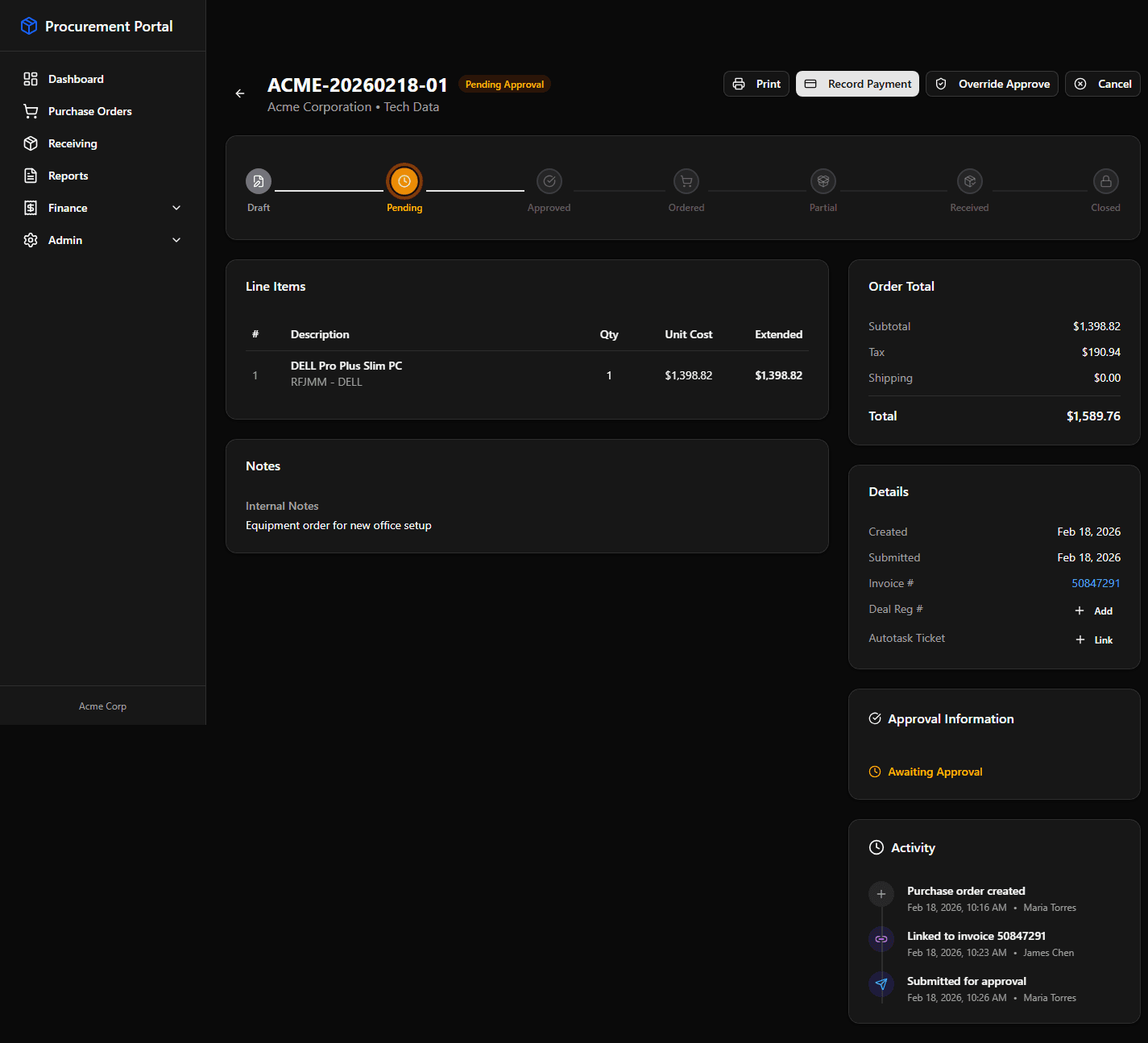
A custom procurement portal that replaces the entire multi-system workflow with one clean interface. Every PO lives in one place — from draft to delivery.
Pipeline visibility
A real-time pipeline showing every PO by status — Draft, Pending Approval, Ordered, Partially Received, Received. No more asking “where is that order?”
QuickBooks Online sync
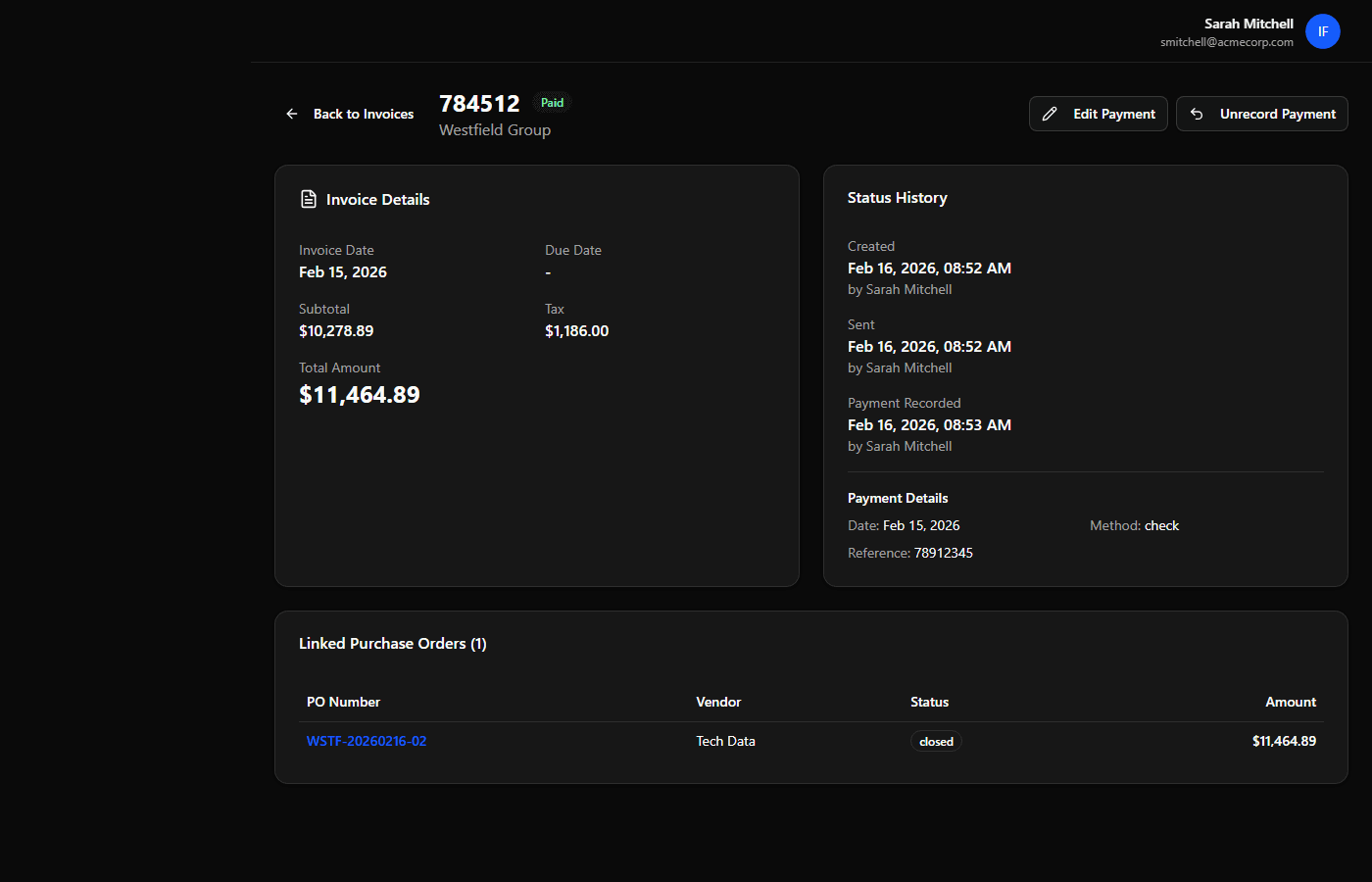
Invoices and payments sync automatically with QuickBooks. When a payment is recorded in QBO, the portal updates instantly — no double entry.
Vendor integration & shipment tracking
POs link directly to vendor systems and FedEx for tracking. The dashboard shows what's in transit and when it's arriving — all in one view.
Email notifications
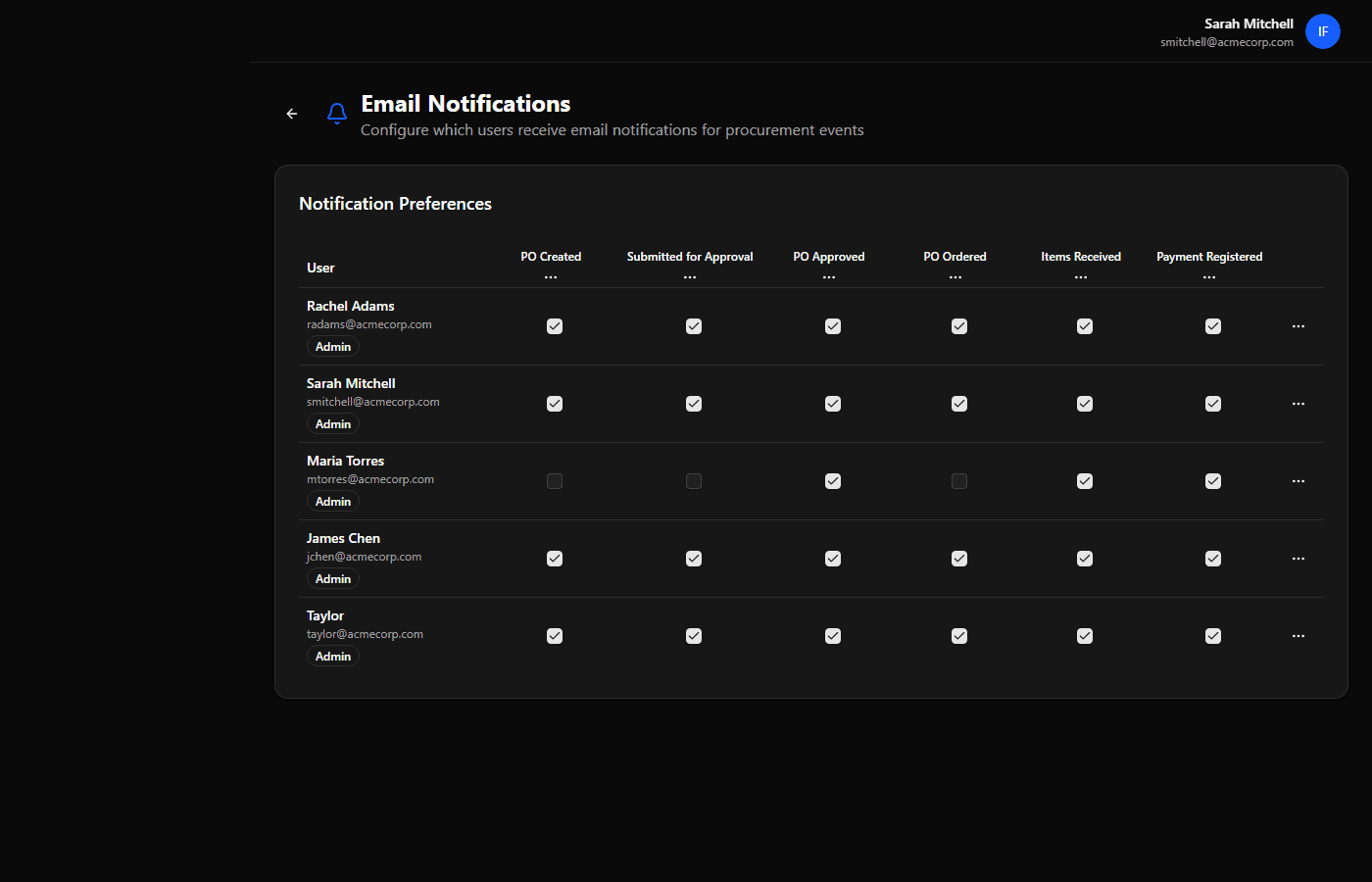
Configurable alerts for approvals needed, items received, invoices awaiting payment, and more. The right people get notified at the right time.
The result
Seven steps across three platforms became one portal. The team can see exactly where every purchase order stands, what needs attention, and what's arriving this week — without opening a single other tool.
That's the power of custom development: software built around how your team actually works, not the other way around.
Have a process that needs fixing?
We'll map it out and show you what's possible.